Research and progression
Hard Drive Hunt
On the on-page interactive map, select Hard Drives. Markers identify crash sites and show coordinates and recorded repair…
View 1 map ↗On the on-page interactive map, select Hard Drives. Markers identify crash sites and show coordinates and recorded repair requirements. In the game, check the pod’s surroundings, elevation, cave access, and hazards before approaching.
Filter a resource, then select a marker or location below for its purity, elevation and coordinates. The map is hosted here.
Standard resource types and purity · Game-data snapshot 1.2.3.1. Randomized worlds differ. Nearby markers may be separated by cliffs or caves.
118 Hard Drives locations
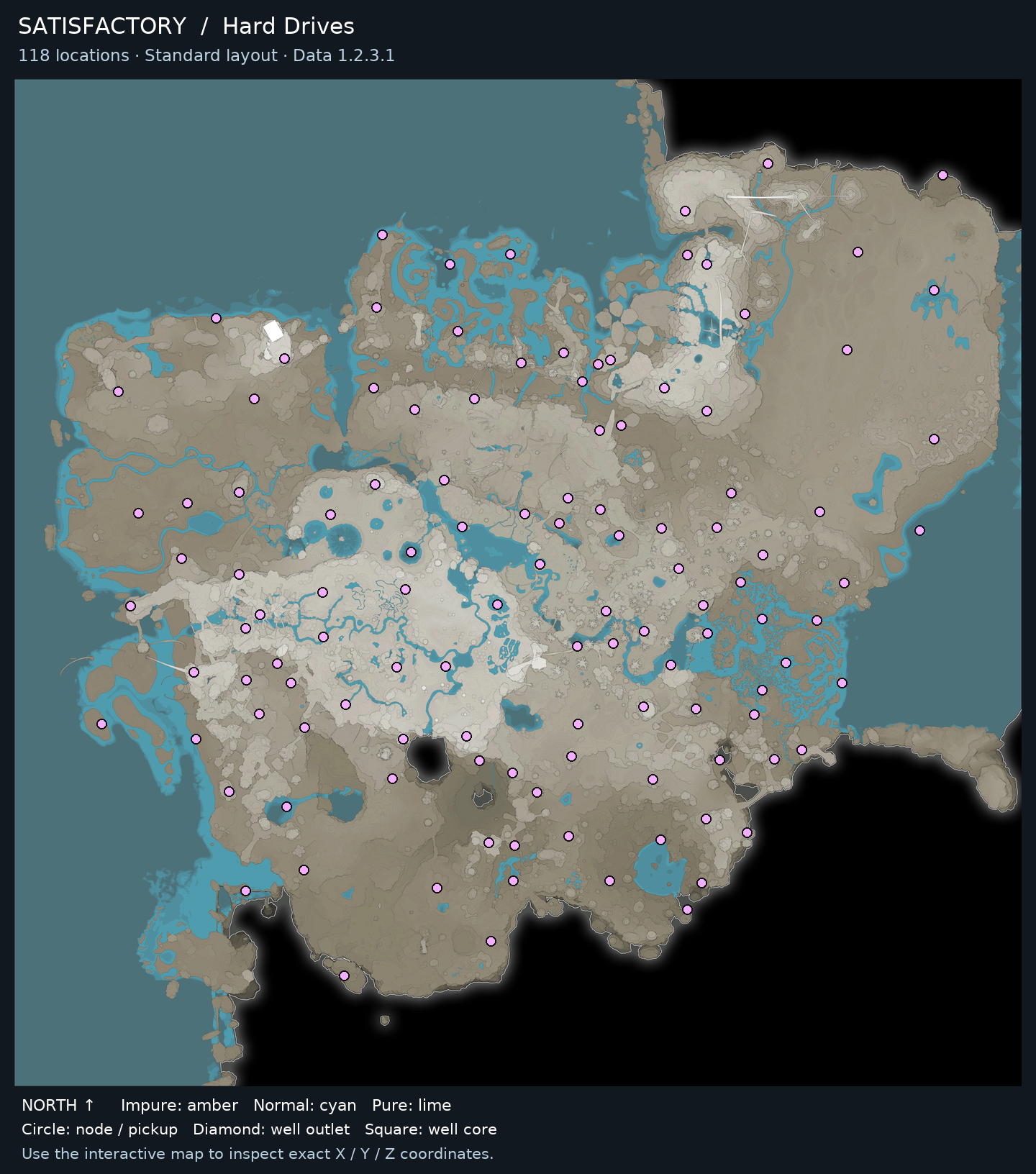
● Impure: amber● Normal: cyan● Pure: lime◆ Well outlet■ Well core
Repeat the map-to-pod process at another marked site whenever you want to search for more Hard Drives. Each placed crash site is a one-time recovery.
Stop searching a particular crash site once you have recovered its Hard Drive; placed sites are one-time recoveries. Continue at another marker if you want to hunt for more drives.
Open a guide to find other locations and see what the item is used for.
On the on-page interactive map, select Hard Drives. Markers identify crash sites and show coordinates and recorded repair…
View 1 map ↗