The Resource Scanner narrows exploration to nodes of an unlocked resource type. Using it before building helps turn a search into a practical site choice based on location, purity, and transport.
1.2 · Standard resource layout · Data 1.2.3.1
WHERE & HOW TO FARM
Where to farm
Use the scanner radial menu in the world. It locates unlocked resource types and points toward node groups; the nearest options and their usefulness depend on your current position and…
Scan for one resource at a time, follow the compass to a nearby node group, and inspect the actual deposits before committing to a factory. New scan targets can depend on progression and research.
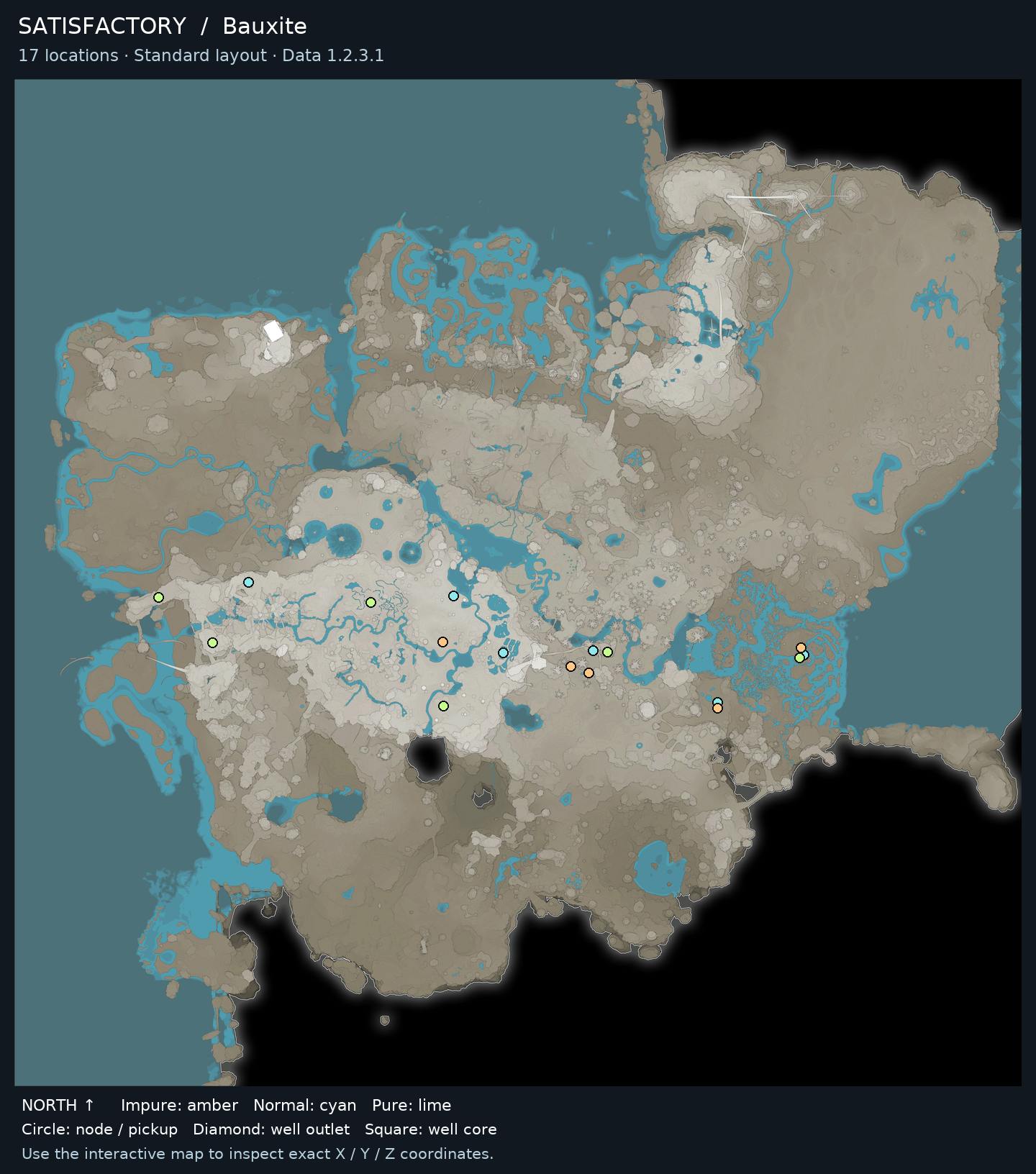
Filter a resource, then select a marker or location below for its purity, elevation and coordinates. The map is hosted here.
Standard resource types and purity · Game-data snapshot 1.2.3.1. Randomized worlds differ. Nearby markers may be separated by cliffs or caves.
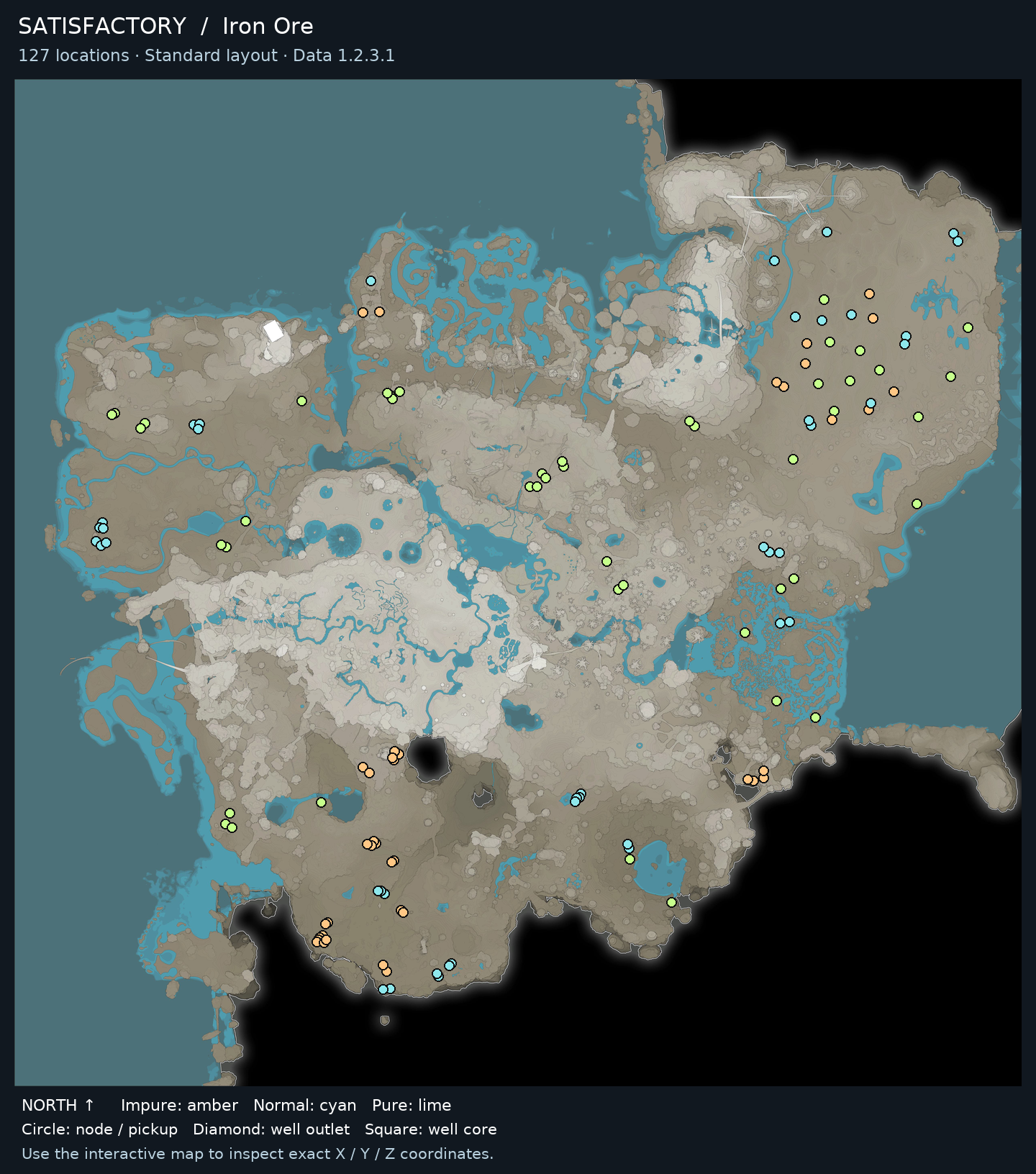
127 Iron Ore locations
Iron Ore locations · Select a marker to inspect its coordinates.
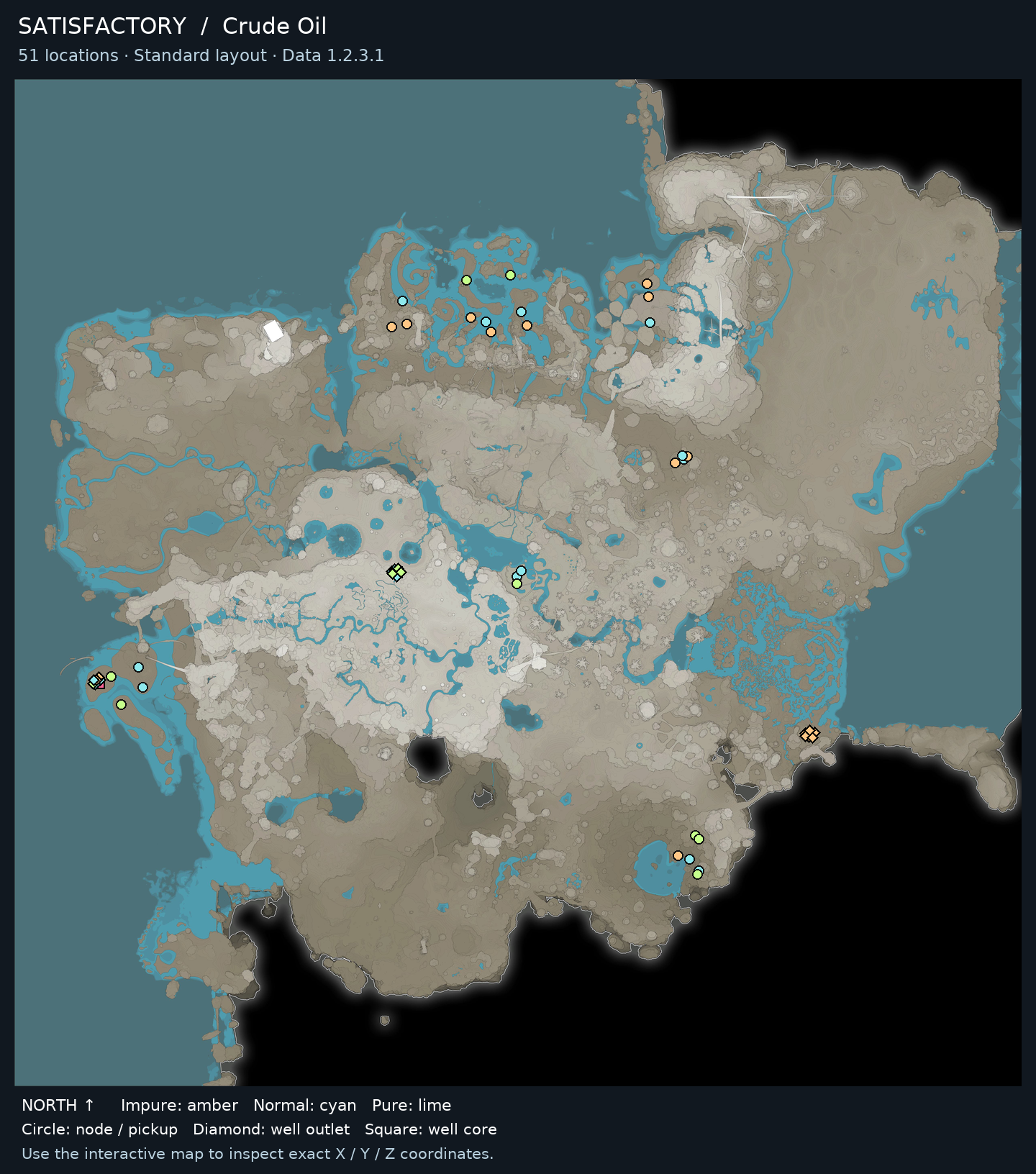
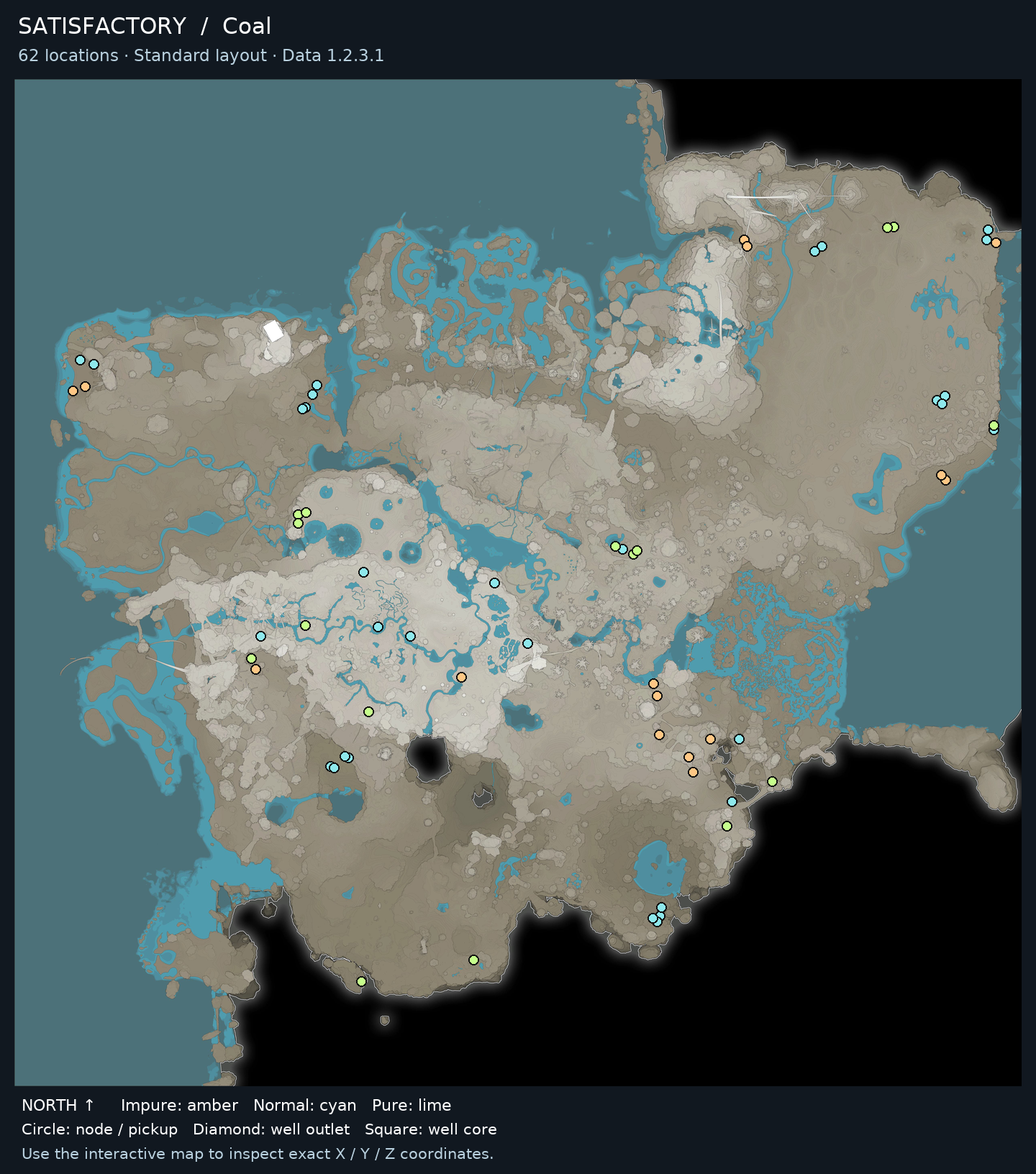
● Impure: amber● Normal: cyan● Pure: lime◆ Well outlet■ Well core
More resource maps for this guide
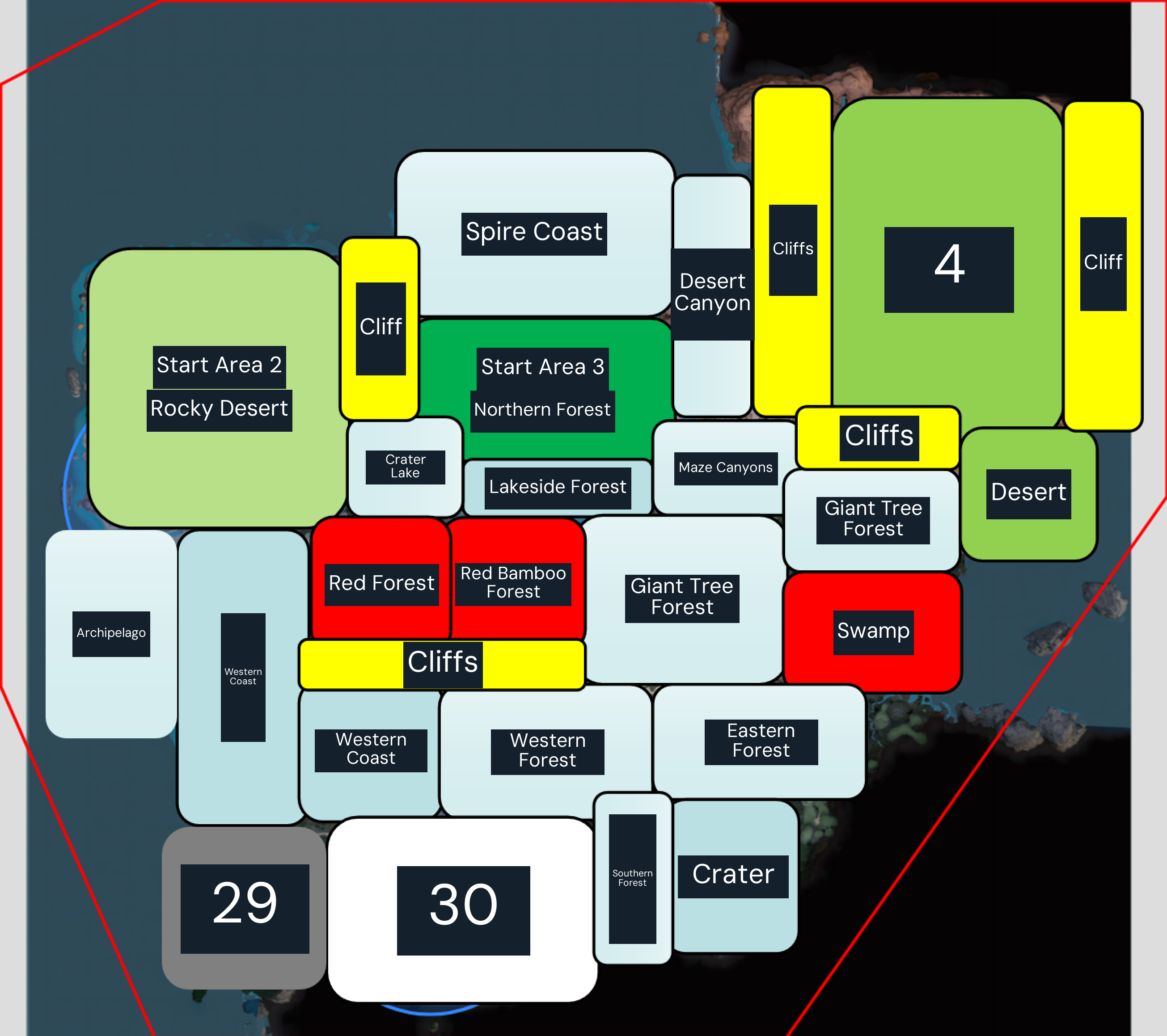
Starting-region and terrain sketch from a Chinese Satisfactory guide. Use it to orient the four starting areas and major cliffs, then scan in-game for exact resource nodes. This sketch does not plot resource-node positions.
GET STARTED
How to farm
Use the scanner radial menu in the world. It locates unlocked resource types and points toward node groups; the nearest options and their usefulness depend on your current position and map state.
Before you go
Resource Scanner available in game.
The target resource unlocked for scanning.
A way to inspect the node on arrival and transport equipment if you intend to build there.
Hold V to open the Resource Scanner wheel.
Select a resource type that is currently available in the menu.
Follow the compass indicator toward one of the indicated node groups.
Inspect the nodes directly and compare purity, terrain access, and distance to the factory.
If no target is available, collect a sample when appropriate and use the MAM or progression interface to check its unlock path.
After choosing a site, place a Miner or use a temporary Portable Miner according to your needs.
Scan again when a new resource becomes available or when the first candidate site proves unsuitable.
Farming tips
Use the compass to locate groups, then make the final decision from the node and route you can see.
Check the target list after research rather than assuming a scan option was added automatically.
Repeat, collect and use
Scanning is a repeatable search action; select the desired unlocked resource whenever you need another candidate site. Any sample collection and related research are progression tasks and do not need repeating after completion.
Common mistakes
Searching for a locked resource through the scanner will not work; check the menu and resolve the in-game unlock first.
Choosing a site solely from the compass marker can miss purity or route constraints; inspect it before building.
Assuming the scan identifies the best factory location is misleading; compare actual access, output needs, and logistics.
When to stop or switch
Stop scanning once you have selected a viable node with enough expected supply for the planned line. Scan again if the route is impractical, the node is unsuitable, or your production goal changes.
Use the scanner radial menu in the world. It locates unlocked resource types and points toward node groups; the nearest options and their usefulness depend on your current position and map state.
Resource Scanner available in game.
The target resource unlocked for scanning.
A way to inspect the node on arrival and transport equipment if you intend to build there.
Rate not listed
Related guides
More guides for gathering materials and making progress.